Troubleshooting
Software Tools
AMarinerControl
Linux
On Ubuntu/Debian, the AMarinerControl.AppImage may require installing the following libraries:
    sudo apt update
    sudo apt install libpulse0 libxcb-cursor0 libxcb-shape0
MacOS
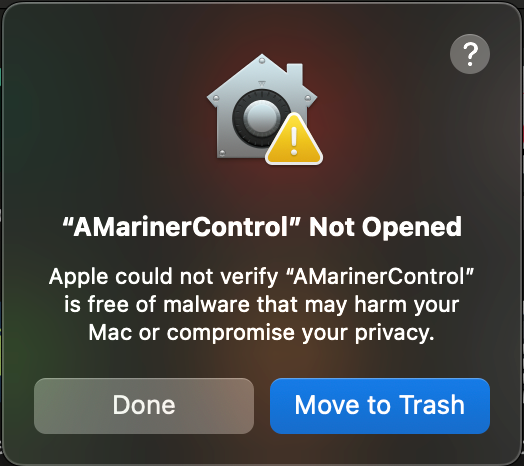
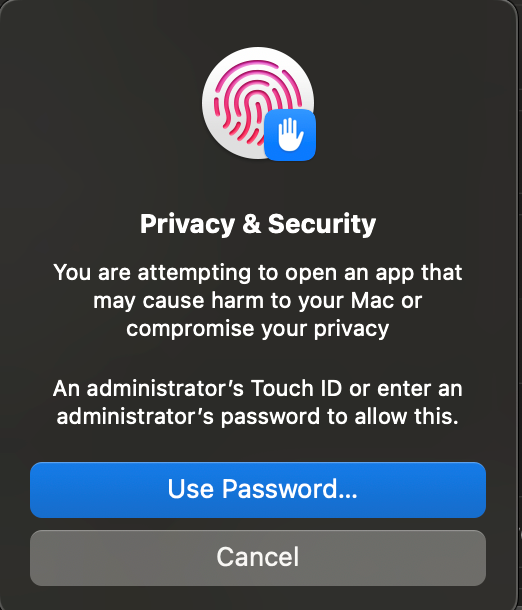
AMarinerControl for MacOS is unsigned, so the following error message may appear when installing for the first time.
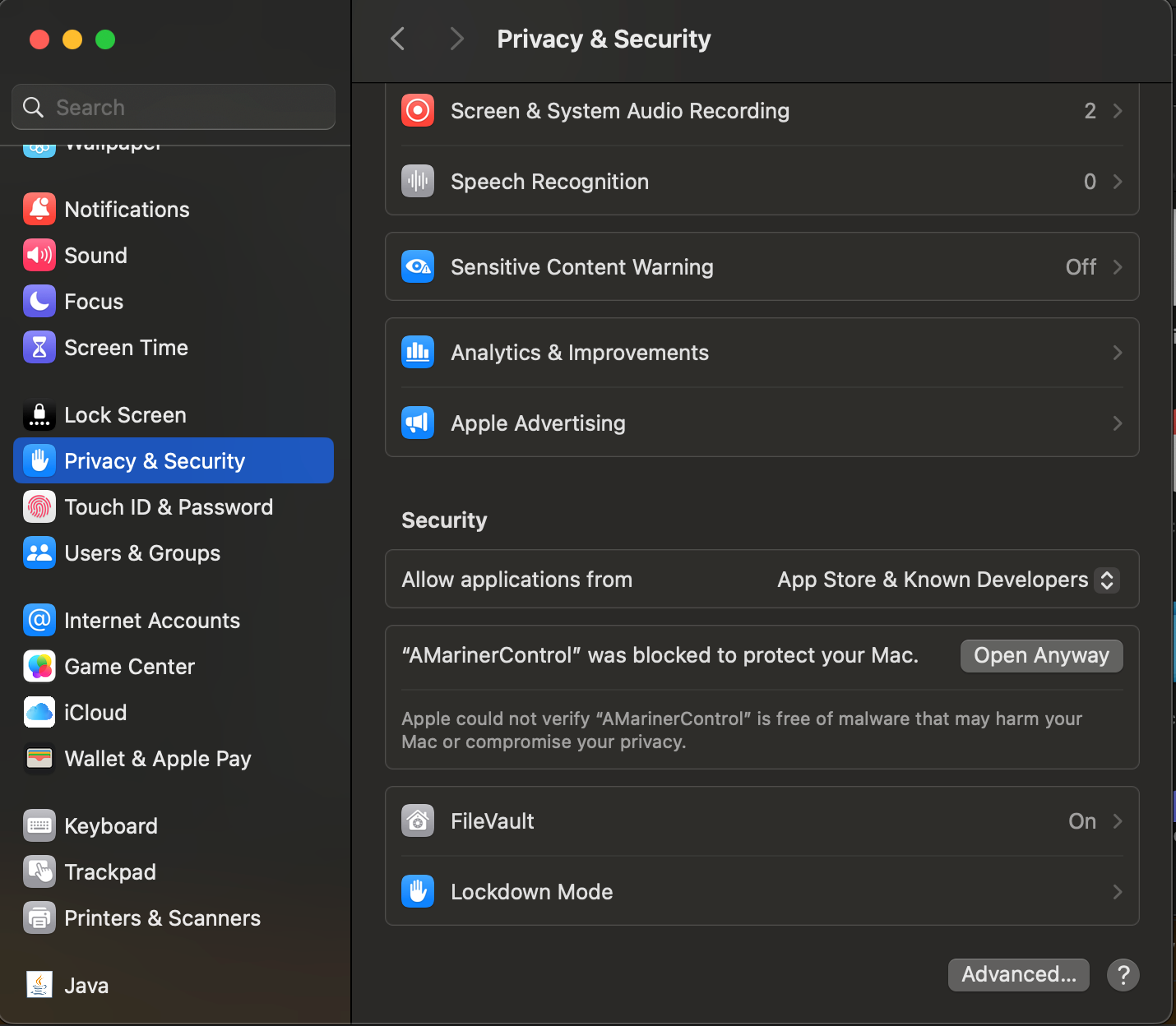
To open the app, go to System Settings > Privacy and Security, scroll to the bottom of the page and select “Open Anyway” to the dialogue “‘AMarinerControl’ was blocked to protect your Mac”
Select “Open Anyway” again
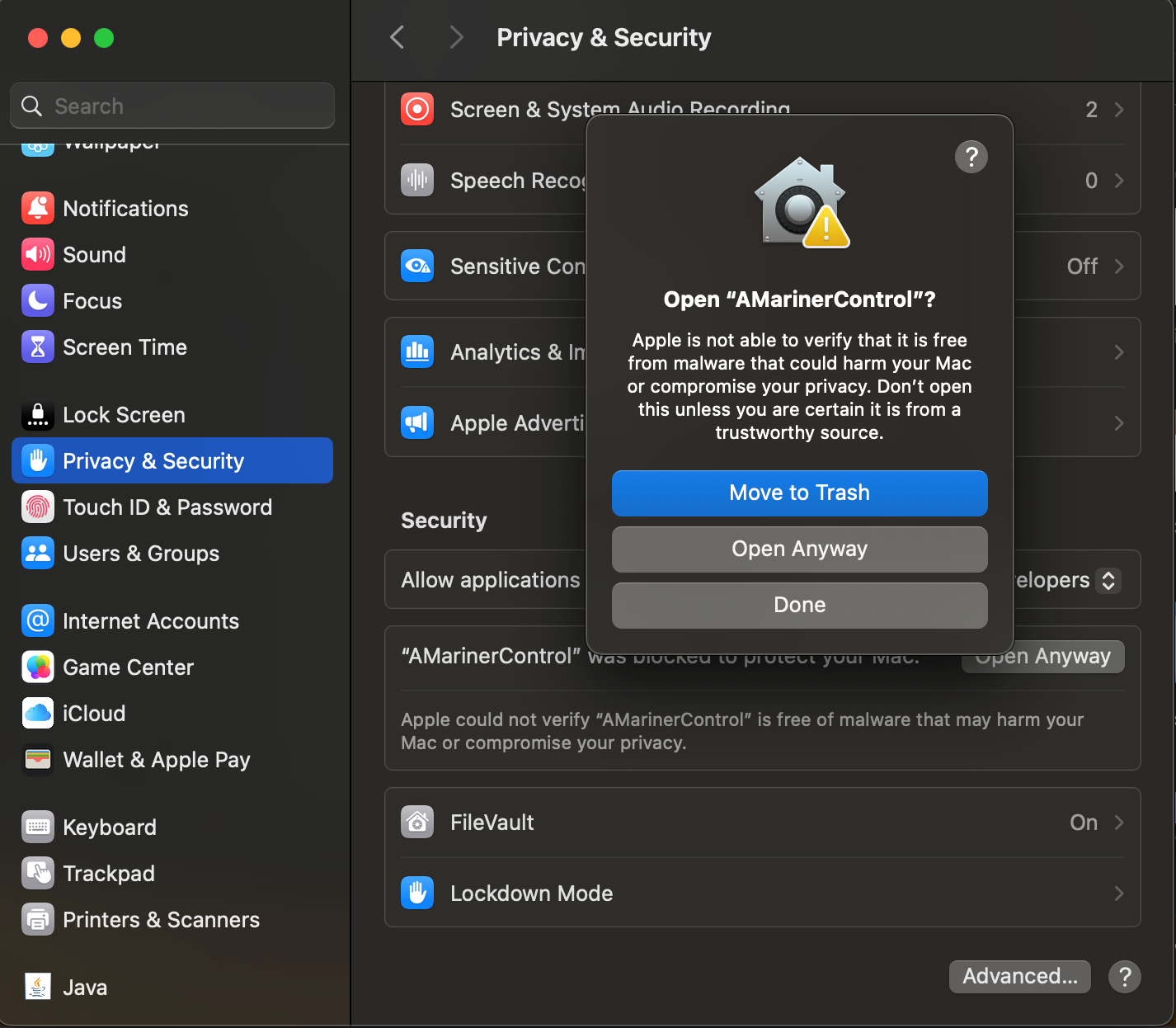
When prompted, enter your MacOS password and proceed with opening the app.
ANELLO INS Scripts
anello_fw_uploader.py
Firmware updates requires the installation of the python libraries pyserial and pymavlink
pip3 install pyserial pymavlink
Hardware
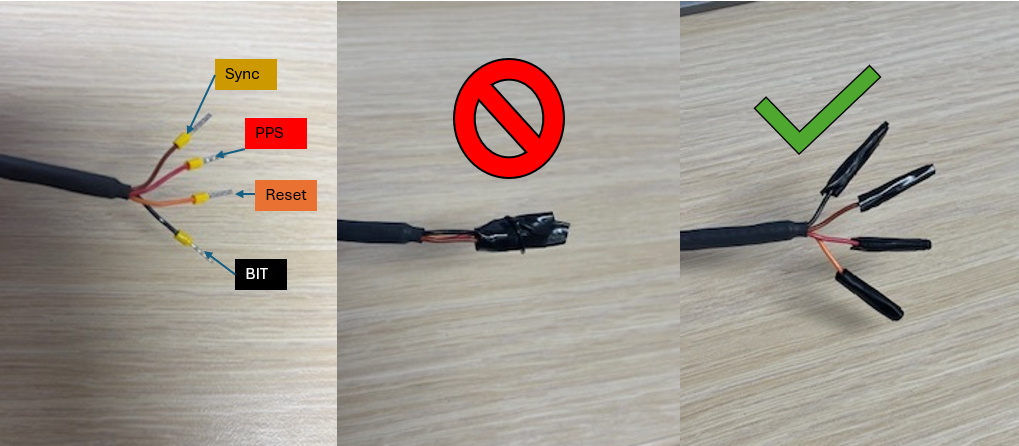
Reset Wire
The 4-wire bundle included with the ANELLO Aerial INS development kit breakout harness provides Reset, PPS, Sync, and BIT signals. Under normal operating conditions, the Reset line is held high at 3.3V. Driving this line low will force the device into a reset state.
To ensure proper operation, do not tape or heat-shrink the Reset wire together with other wires, and avoid inadvertently grounding it. If the Reset line is held low, the device will remain in a reset (powered-off) state and will appear unresponsive.